Automatic time tracking
The foreground app, window title and idle time are sampled every 5 seconds. Nobody starts or stops a timer.
Zaman Takip automatically splits the time employees spend on their computers into work, non-work and idle — without screenshots or keylogging, and privacy-compliant by design.
How it works
From installation to your first report in minutes. Employees don't have to do anything.
One command installs it on Windows and Mac; employees are registered automatically. Roll it out in bulk with GPO or Intune.
Use rules to decide which apps and websites are work and which are not. You start with ready-made rules.
The dashboard, daily timeline and analytics fill up from the first minute. Change a rule and past data updates too.
Features
Measurement, not surveillance: who spends how much time on what, and where the team gets stuck.
The foreground app, window title and idle time are sampled every 5 seconds. Nobody starts or stops a timer.
Work ratio by day and hour — spot the afternoon dips.
Uninterrupted work blocks and app switches per hour.
Compare work ratio, active time and late starts across teams.
Automatically flags employees whose numbers drop against their own average.
First / last activity and late starts; no data is collected outside working hours.
Department managers only see their own team; every access is logged.
If the connection drops, data waits on the computer — nothing is lost or counted twice.
Product tour
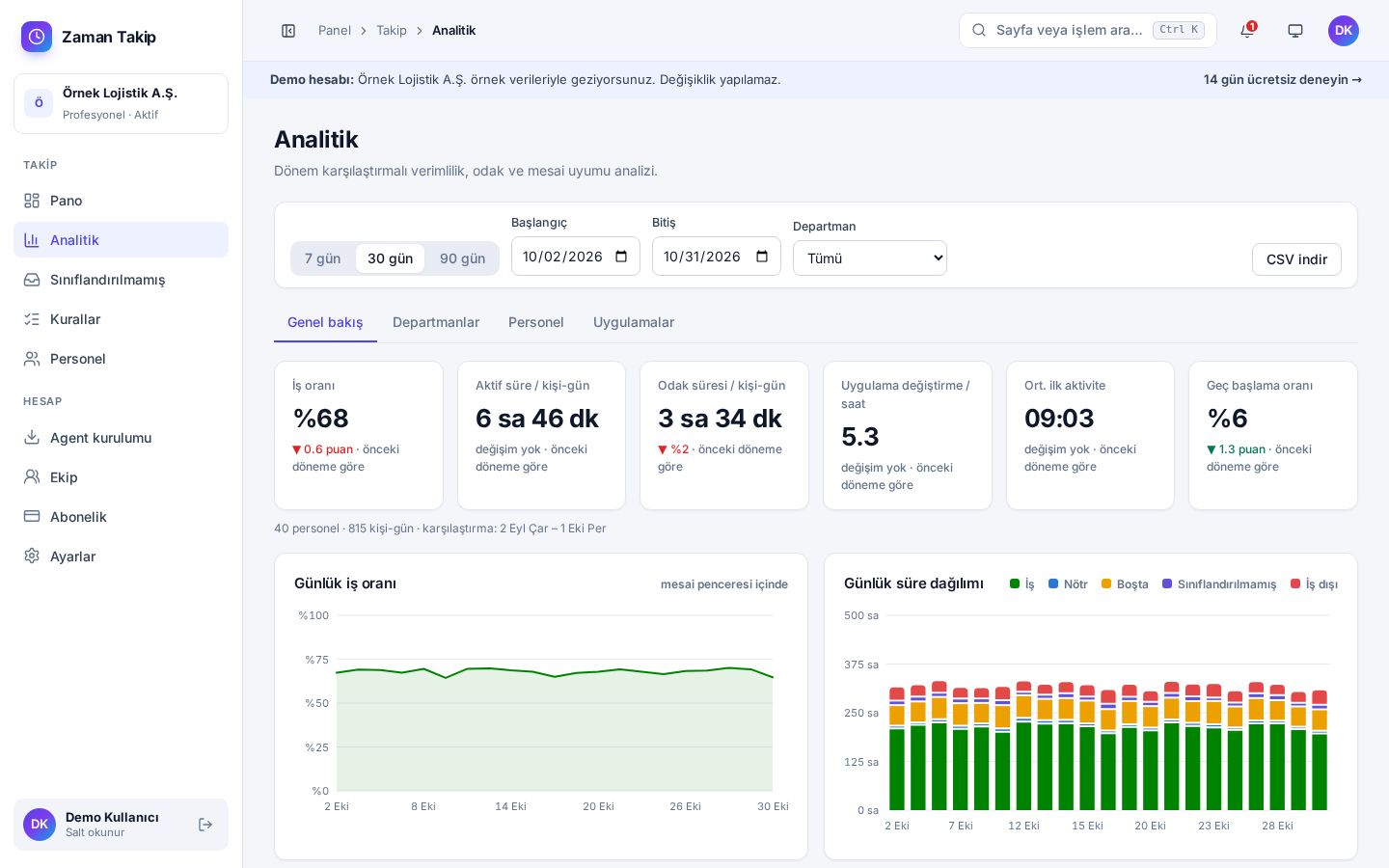
Period-over-period metrics, daily trends, heatmap and department comparison.
Privacy
Privacy by design: only during working hours, and only as much data as it takes to measure the work.
Messages, emails and file contents are never collected.
Turn them off with one setting; then only the app name is kept.
Every look at someone's data is logged; expired data is deleted.
Pricing
A monthly fee per tracked employee. Try it free for 14 days; no card required.
Essential time visibility for small teams
TRY 74 / employee / month
20 employees · TRY 1,480 per month + VAT
Advanced analytics for growing companies
TRY 132 / employee / month
20 employees · TRY 2,640 per month + VAT
For large organisations and custom needs
Get a quote
Your own server, custom contract
FAQ
Only during working hours: the name of the foreground app, the window title (you can turn this off) and whether the keyboard/mouse is in use. No screenshots, keystrokes, emails or message contents are collected.
Your company is the data controller and we are the data processor. Inform your employees with a privacy notice before installation; we provide a template. Retention period, title storage and access logging are configurable in the dashboard.
Creating an account takes a minute; installing the agent is a single command per computer. For bulk rollouts the same command runs via GPO or Intune.
Windows 10 / 11 and macOS 12 or later.
We don't ask for a card for the trial. When it ends, data collection stops; once you pay, the agents pick up where they left off.
A monthly fee per tracked employee, with a discount for yearly billing. Prices exclude VAT.